Some people like every meal of the week mapped out. Others just want to know what they’re cooking this week and what to buy. Health & diet in Barnaby does both, sizes every dish for the people eating it, and turns it all into one shopping list. Here’s how.
1. Two ways to plan
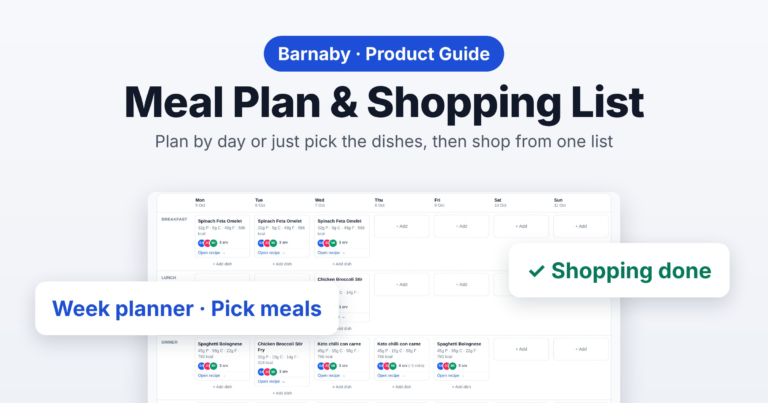
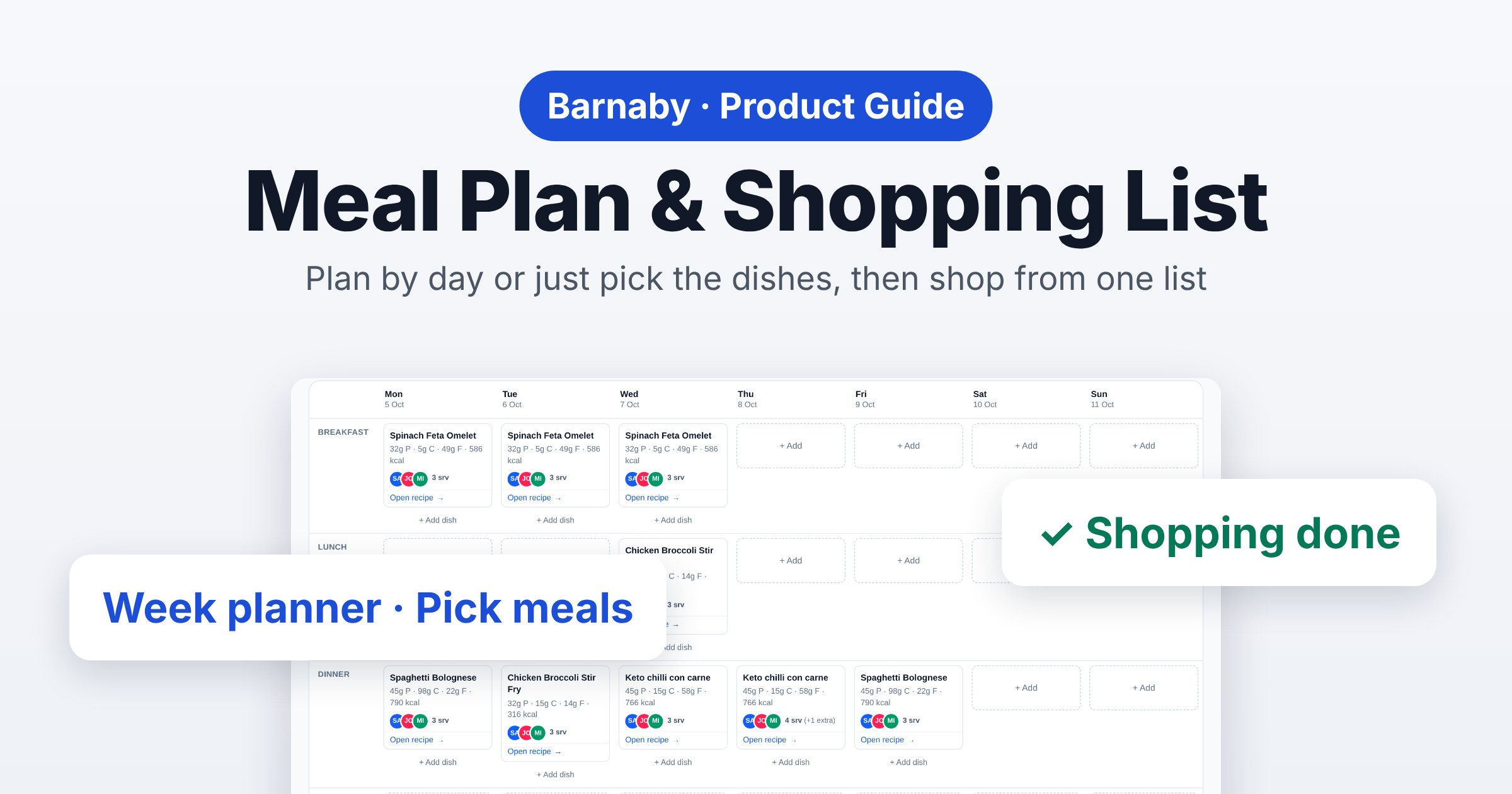
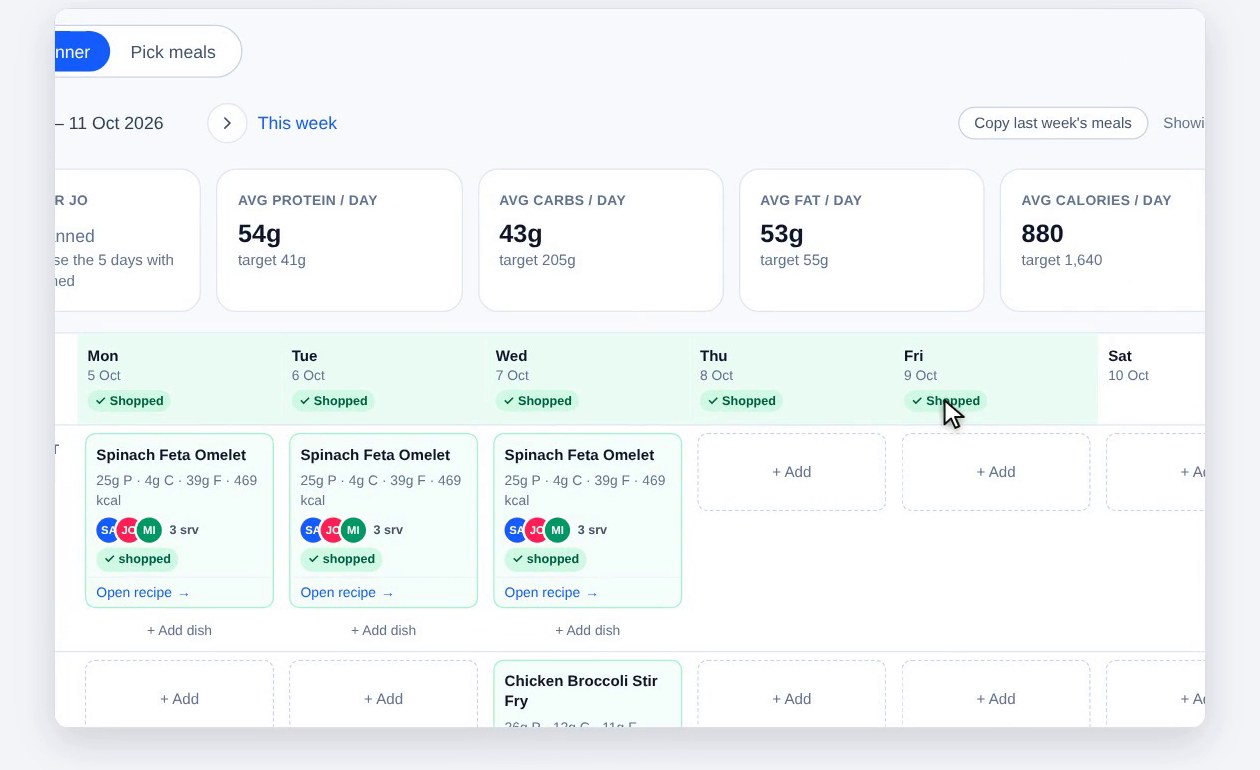
Open Health & diet, then Meal plan. At the top are two tabs. The Week planner puts dishes on days and meals: breakfast, lunch, dinner and snacks. Pick meals is just the dishes you’re cooking and who’s eating them, with no days at all. Use whichever suits you, or both: they fill the same shopping list.
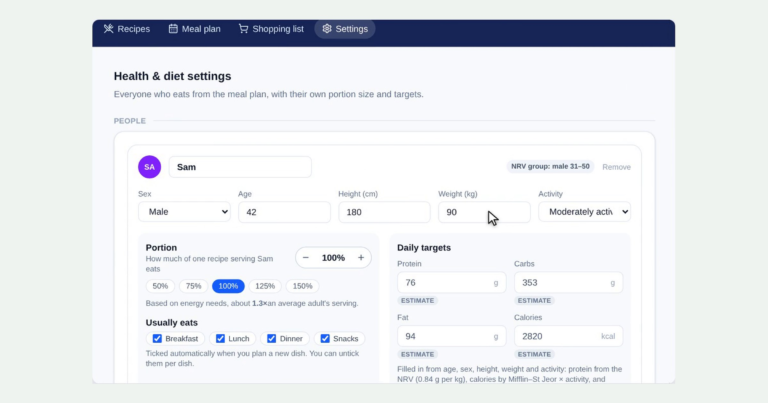
How much to cook comes from the people in your household and their portion sizes, set up once in Health & diet Settings (see setting up your household).
2. The Week planner
Each day has a column, with a row for each meal. Click + Add in a meal to put a dish there. The people who usually eat that meal are ticked in, and their portions are added up, so you can see exactly how many servings to cook. Guests coming? Add extra servings.
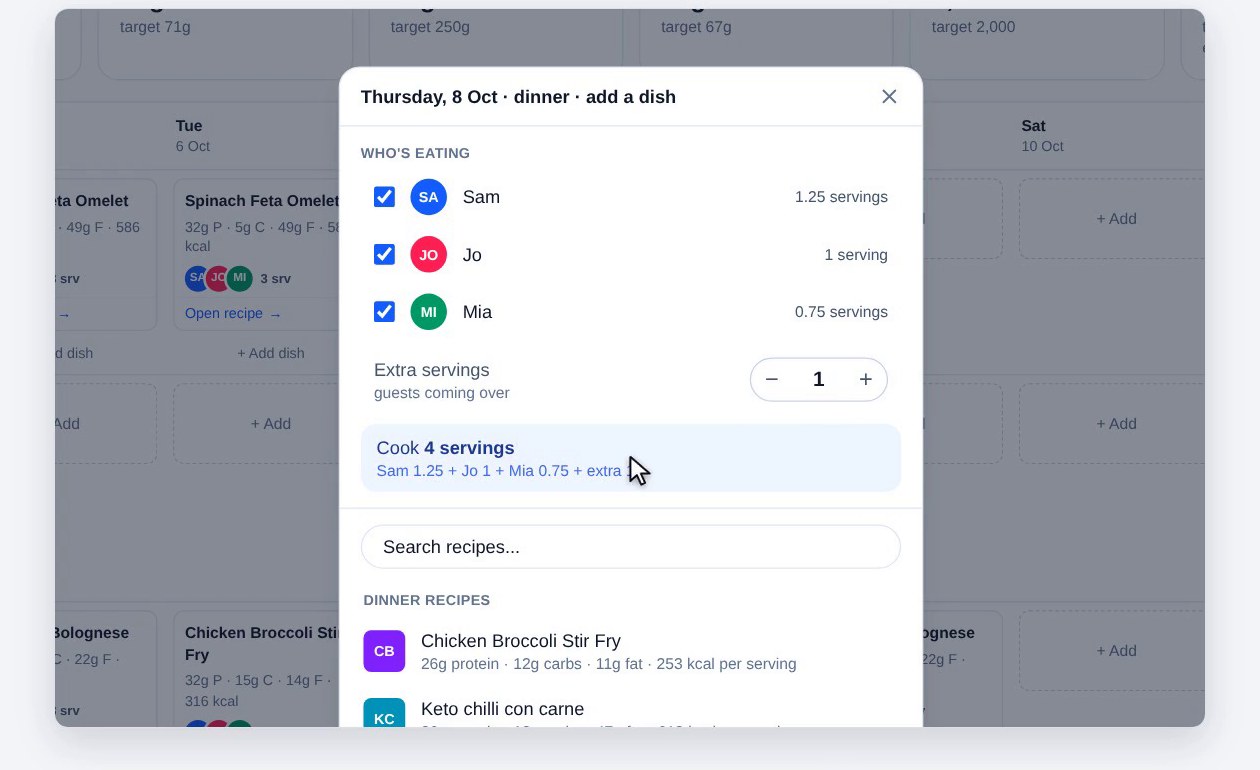
Then tap a recipe. It’s saved straight away and goes on the shopping list; there’s nothing else to click. + Add dish puts more than one dish in a meal, and clicking a dish lets you change it, or who’s eating it.
3. Each day’s totals
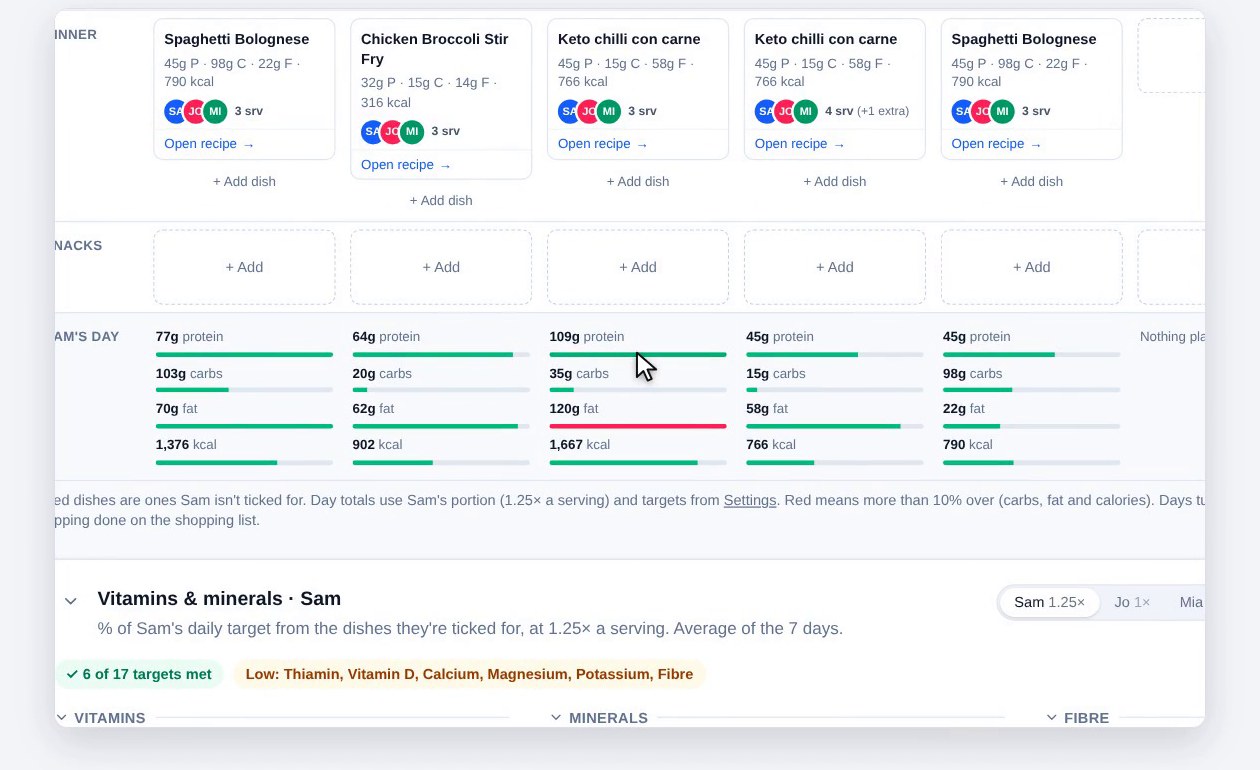
Under the week, each day’s protein, carbs, fat and calories are shown for the person you pick, at their portion, against their daily targets. A red bar means more than 10% over on carbs, fat or calories. Below that, the vitamins and minerals panel shows the week’s average, or a single day.
4. Pick meals
Rather not plan by day? Click Pick meals. Click + Add on each dish you’re cooking. Cooking something twice? Add it twice. Everyone starts ticked: click a name to take them off that dish, and use Guests for anyone extra. The servings change as you go.
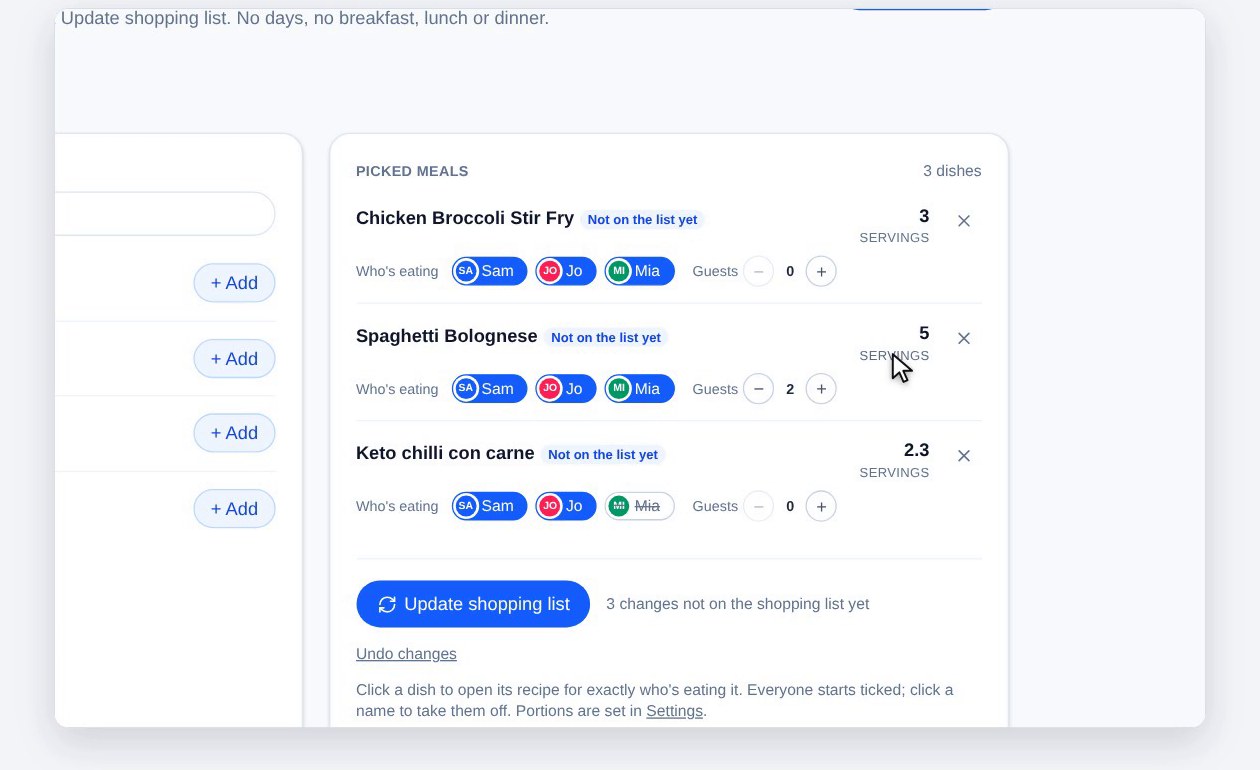
Your picks wait on screen until you click Update shopping list. Then they’re saved and on the list, marked On shopping list.
5. What each person gets
Under Pick meals, What each person gets shows everyone’s protein, carbs, fat and calories a day, as a percentage of their own target. The picked meals have no days, so set how many days the shop lasts (1, 7, 14 or type your own) and the totals are spread over them.
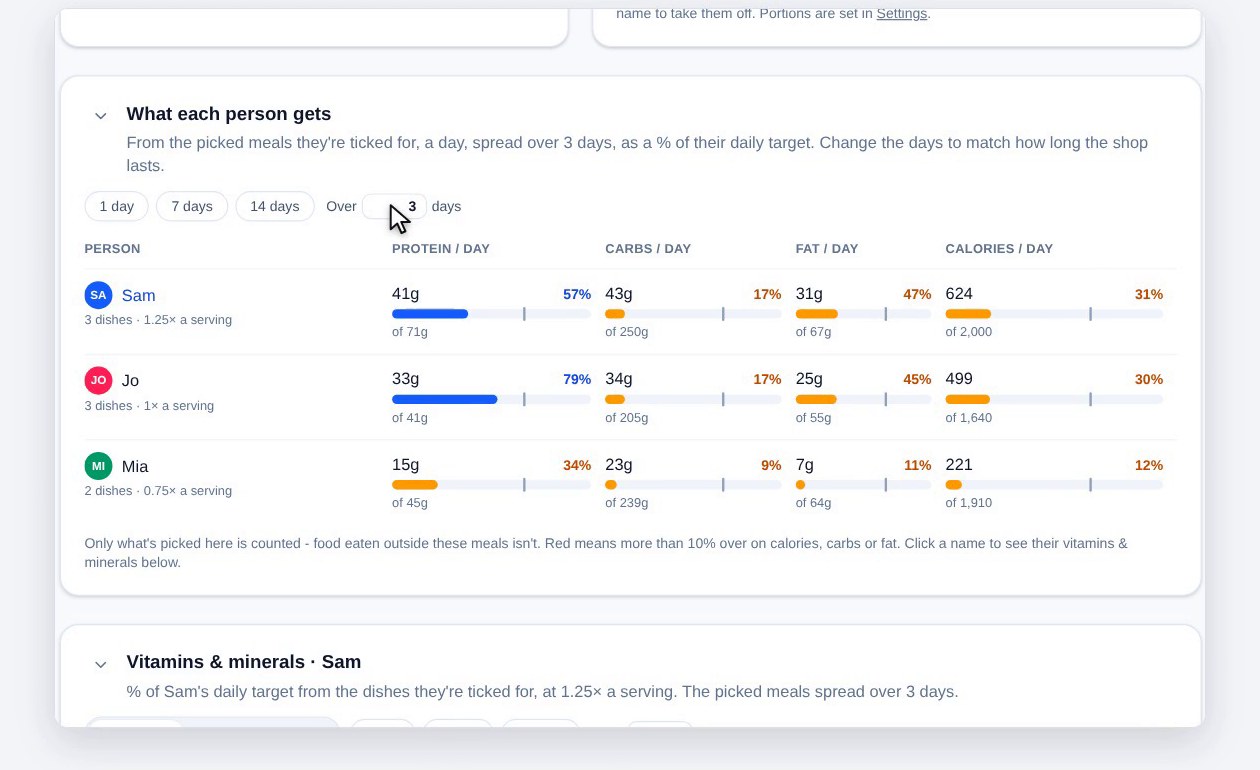
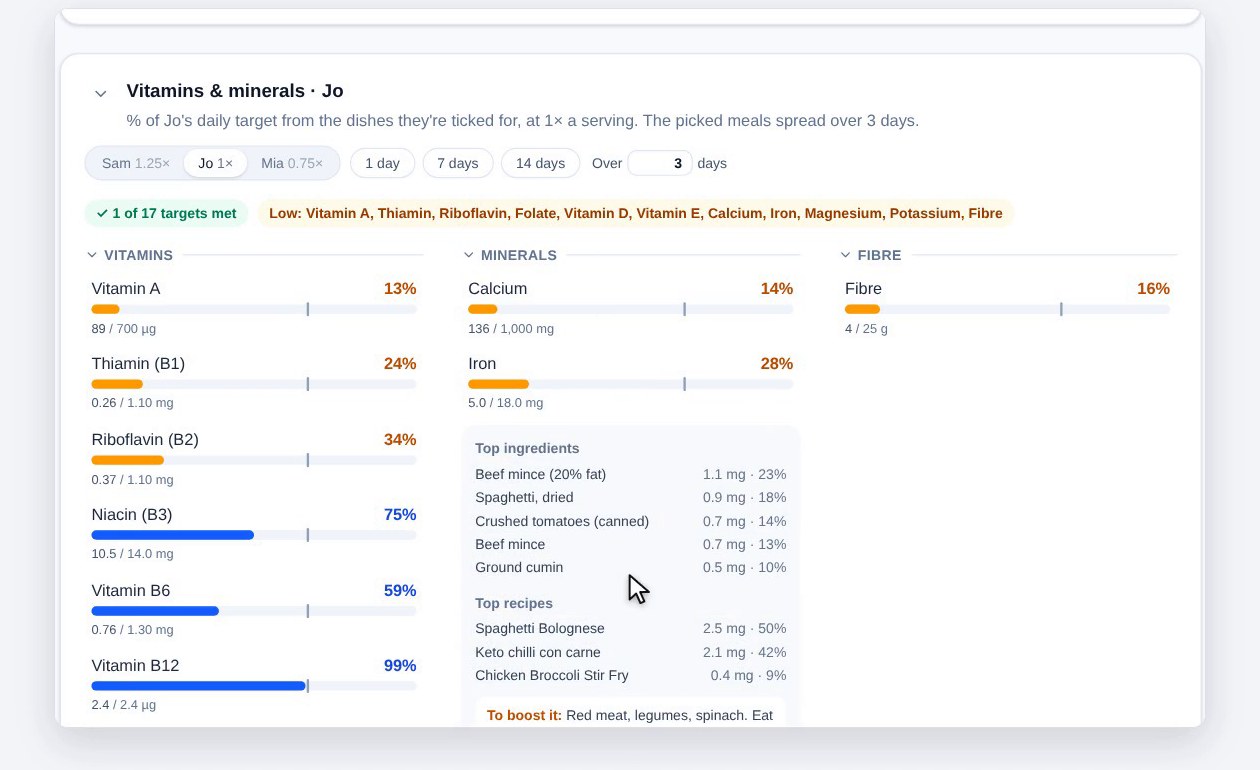
Click a name to see that person’s vitamins and minerals. It’s a rough guide, to give you an idea of their intake, not an exact measure. Click one, like iron, to see which dishes and ingredients it comes from, with ideas to boost it if it’s short of the target.
6. One shopping list
The Shopping list is one list for both ways to plan: dishes on the Week planner from today on, plus your picked meals. The meals you’re shopping for are listed at the top. Click one to open its recipe, with the amounts for exactly who’s eating it. The cross takes a meal off the list, and off the Week planner or Pick meals as well, once you confirm.
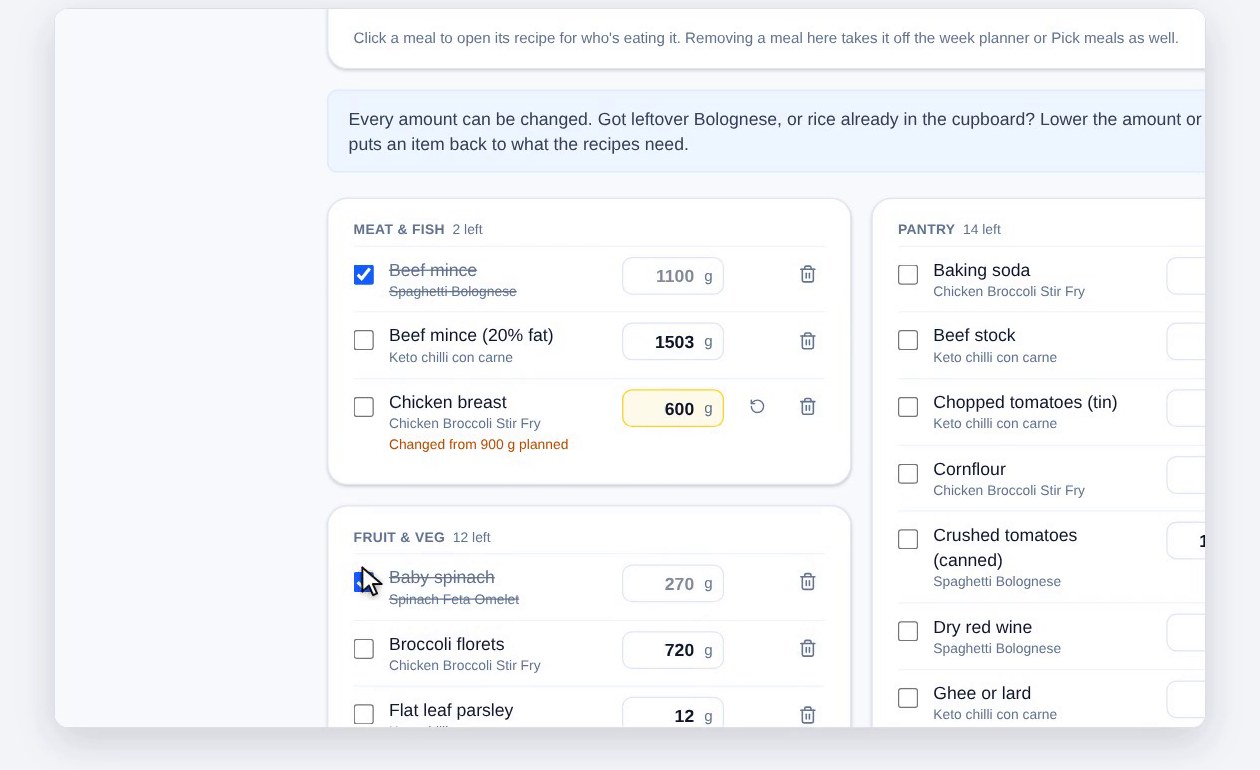
Underneath, ingredients are added up across the recipes and grouped by aisle. Change any amount if you already have some (the ↺ button puts it back), tick things off as you shop, remove items, or add your own, like toilet paper. Copy list copies what you still need, to paste anywhere.
7. Shopping done
Back from the shops? Click Shopping done. The list clears, and if you clicked too soon, Undo puts it all back. On the Week planner, those days now show Shopped, and picked meals move to Already shopped, where you can still open their recipes. Anything you add after that goes on the next list.
Every finished list is kept. Use the arrows under the Shopping list heading to step back through the lists you’ve done, see what was on them, or copy one to buy the same again.
Plan the week, shop once
Plan by day or just pick the dishes, and the shopping list is worked out for everyone at the table.
Get startedScreenshots use a test household with made-up people. This is general information, not personal dietary advice. Check with a doctor or dietitian for anything that affects your health.