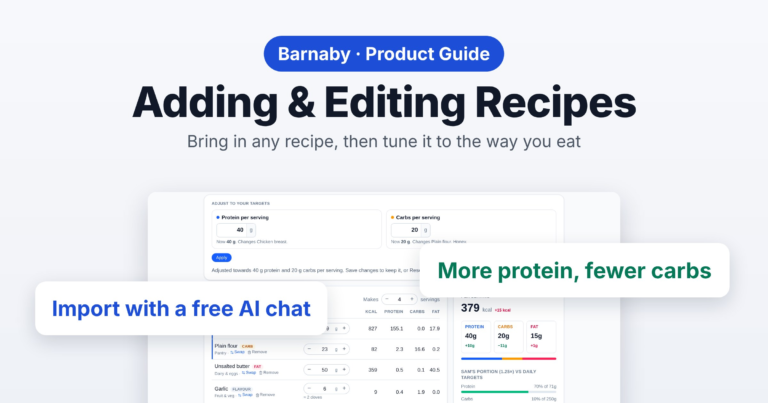
Found a recipe you want to cook? Health & diet in Barnaby brings it in from a link, a photo of a cookbook page or pasted text, with the nutrition worked out by a free AI chat. Then you can change it to suit you. Here’s how.
1. Recipes and categories
Open Health & diet, then Recipes. Every dish you cook is here, with its protein, carbs, fat and calories per serving.
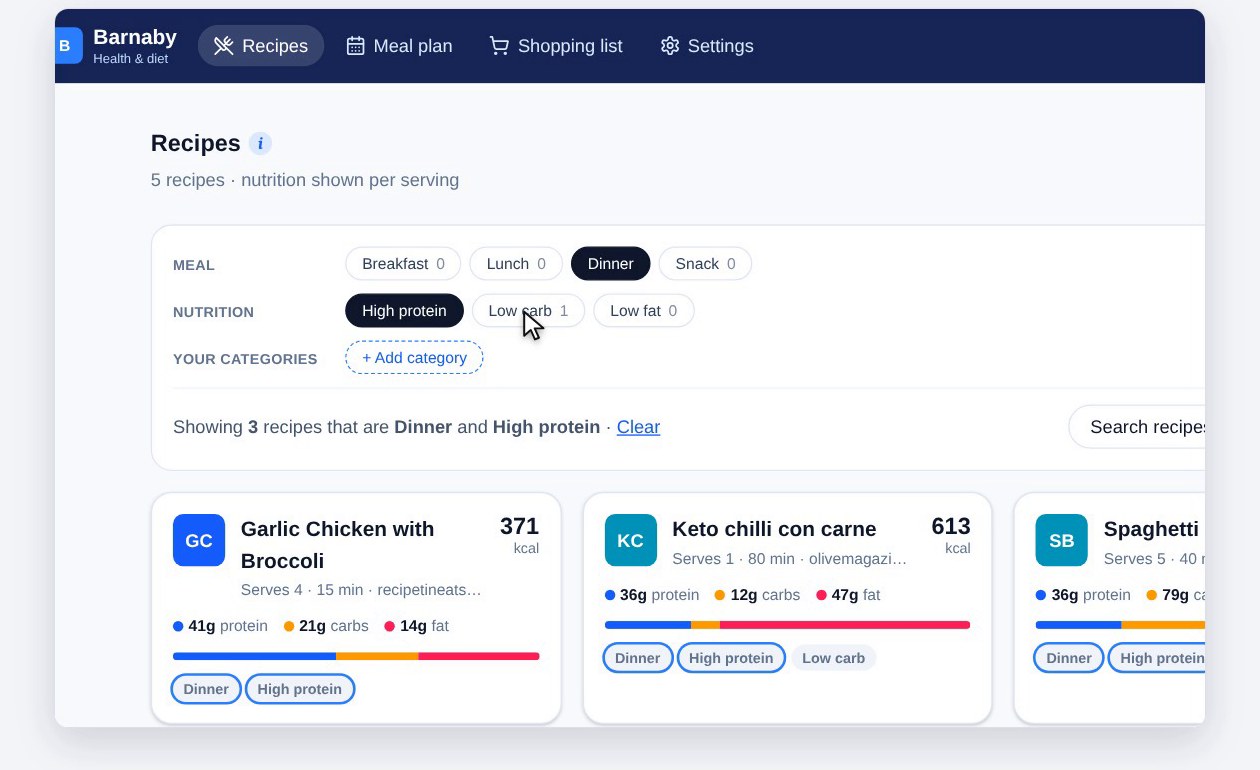
The buttons at the top narrow the list down: Meal (breakfast, lunch, dinner or snack) and Nutrition (high protein, low carb or low fat, worked out from each recipe’s numbers). Pick more than one, like Dinner and High protein, and you only see recipes that are both. The number on each button shows how many you’d get.
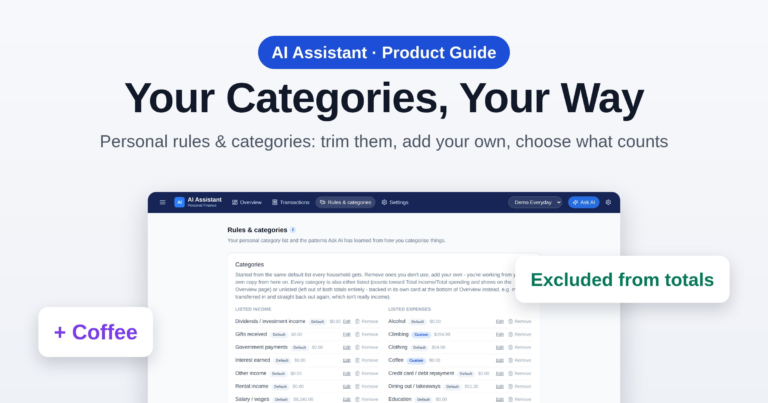
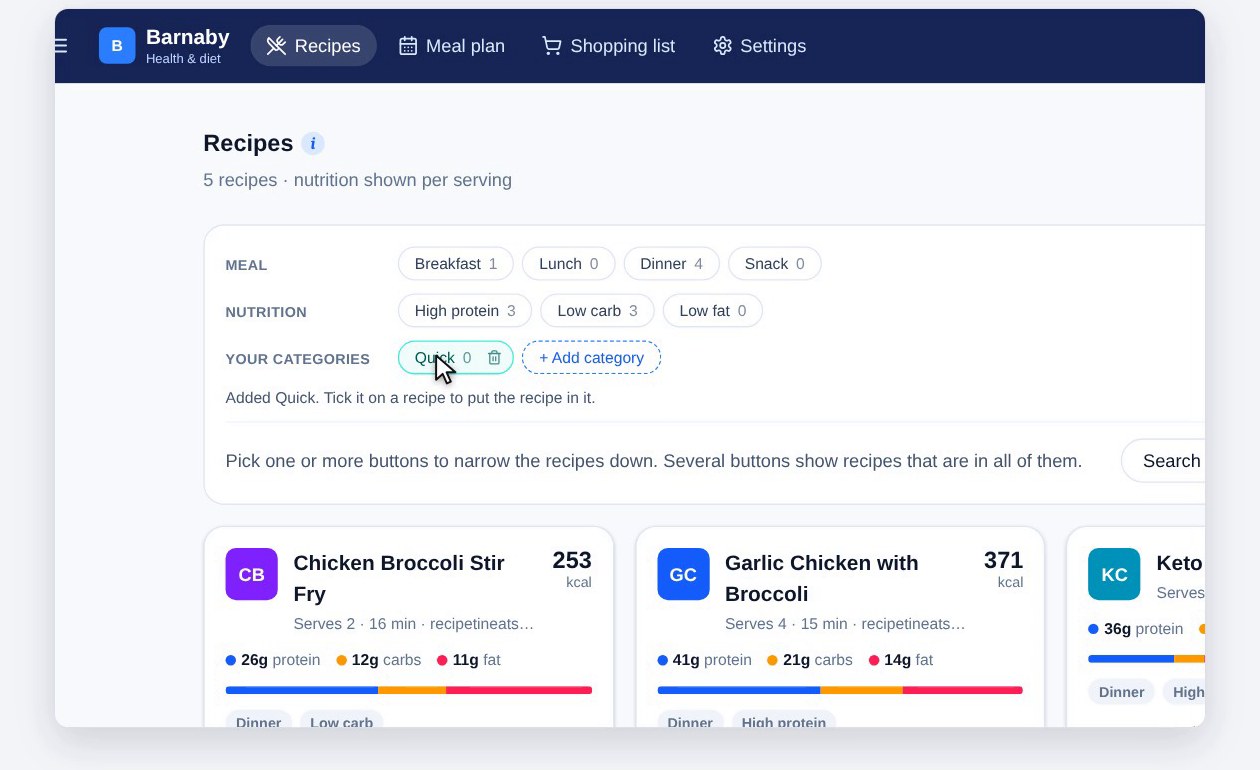
Add your own categories too, like Quick or Kids love it: click + Add category, type a name and click Add, then tick it on any recipe. The bin next to a category removes it; its recipes stay.
2. Import a recipe
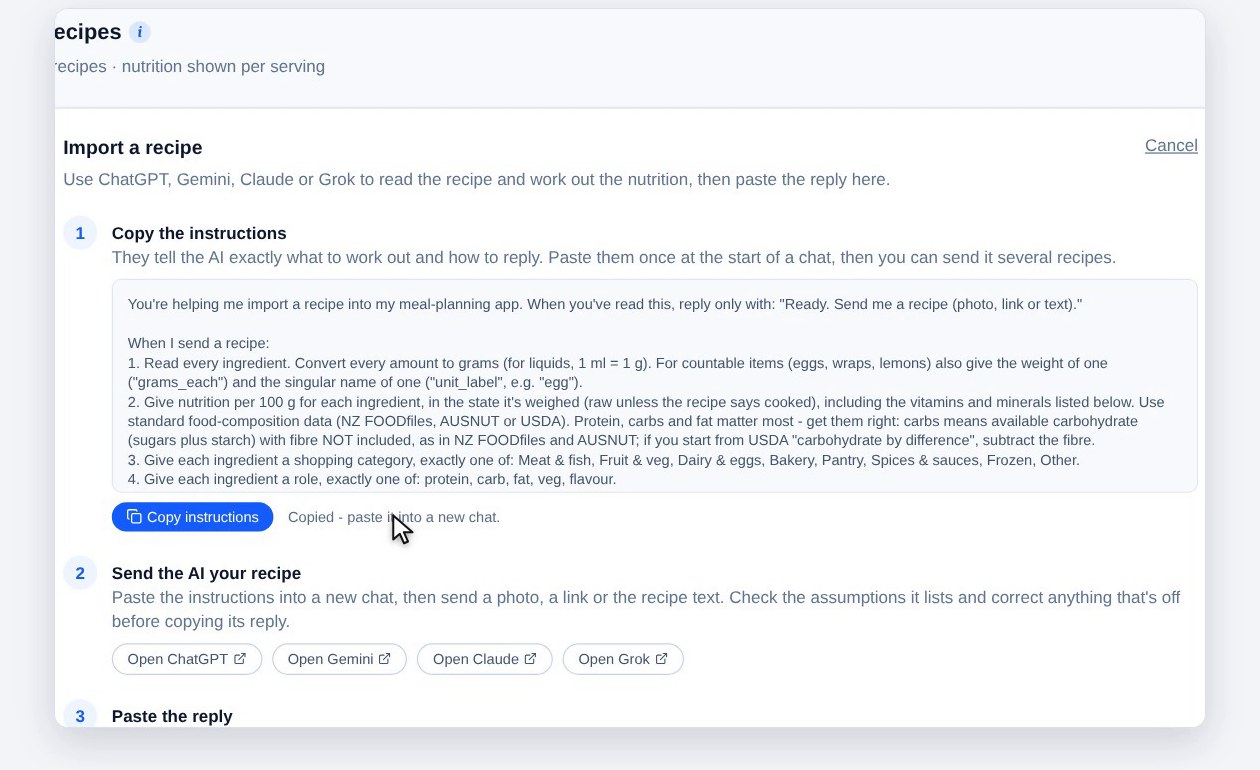
To add a recipe, click + Import recipe.
Barnaby uses an AI chat to read the recipe and work out its nutrition. Step one is Copy instructions: they tell the AI exactly what to work out and how to reply. You paste them once at the start of a chat, and can then send it several recipes.
3. Send it to an AI chat
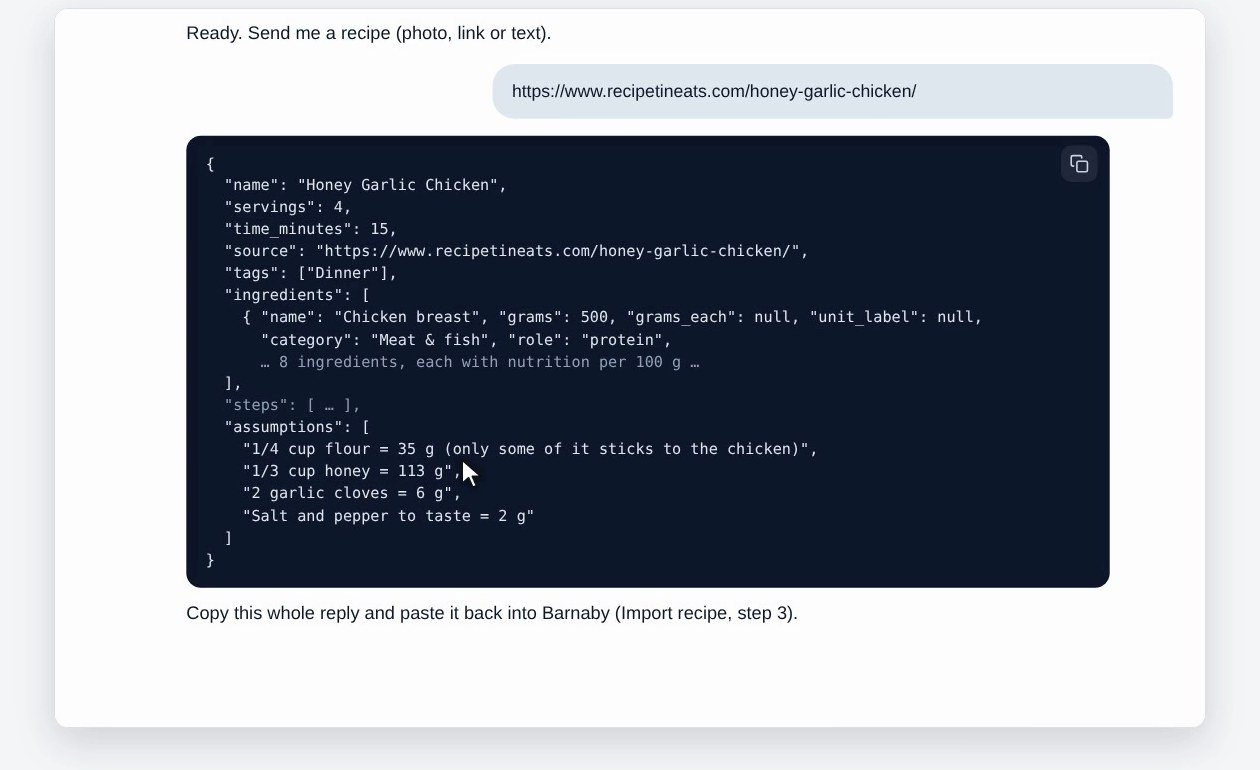
Open an AI chat – the button in step two opens a free one, or use any AI chat you already have. Paste the instructions and send them. When it says it’s ready, send the recipe: a link, a photo, or the recipe text.
It replies with the recipe in a code block, every amount in grams, plus a list of anything it had to guess, like how much a third of a cup of honey weighs. If something’s off, tell it, and it sends the whole recipe again. Then copy the whole reply.
4. Paste the reply
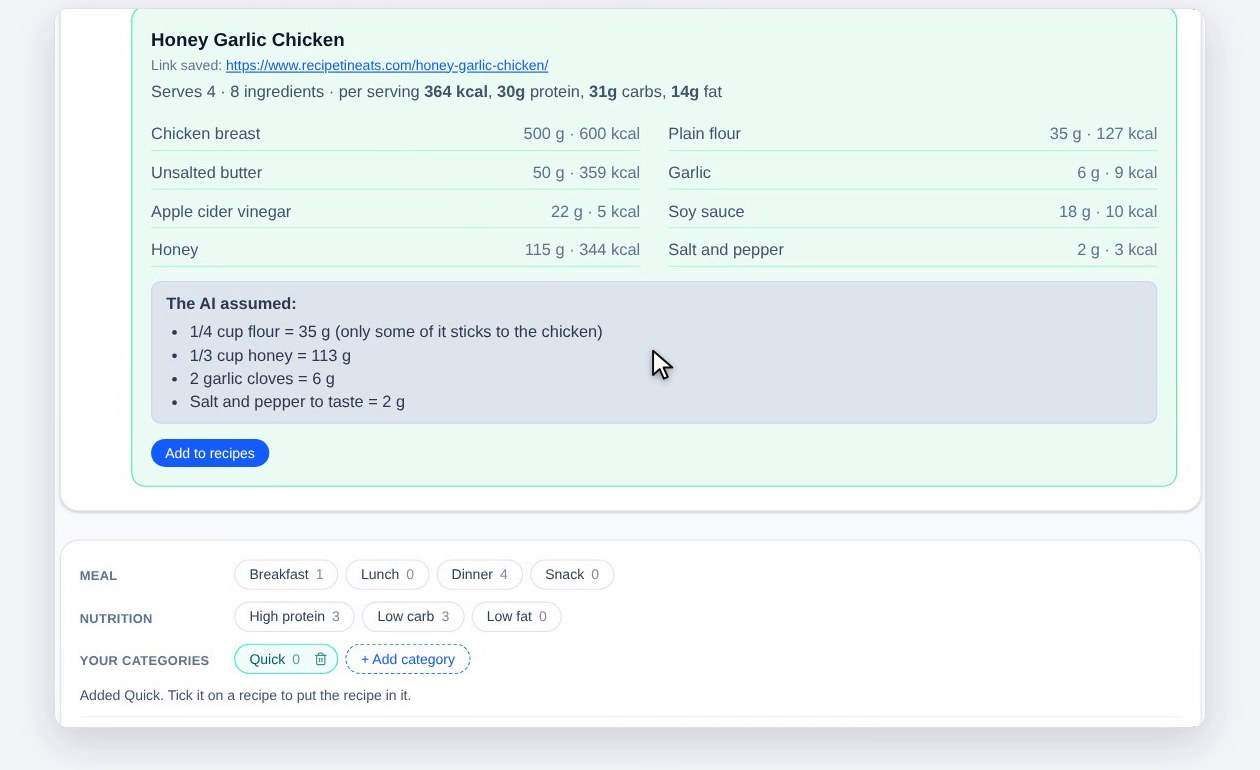
Back in Barnaby, paste the reply into step three and click Check reply. Any text around the code block is ignored. You’ll see the servings, every ingredient with its weight and calories, the protein, carbs and fat per serving, and what the AI assumed. If it looks right, click Add to recipes.
5. Your recipe
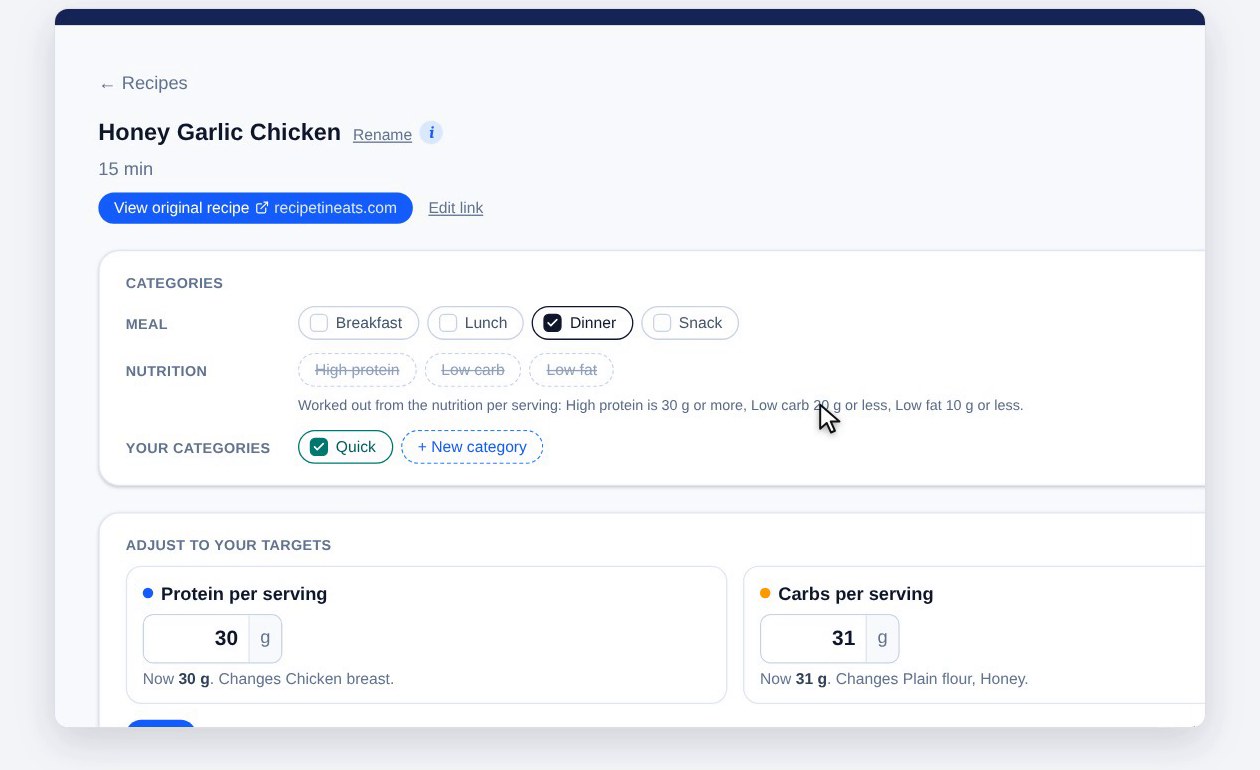
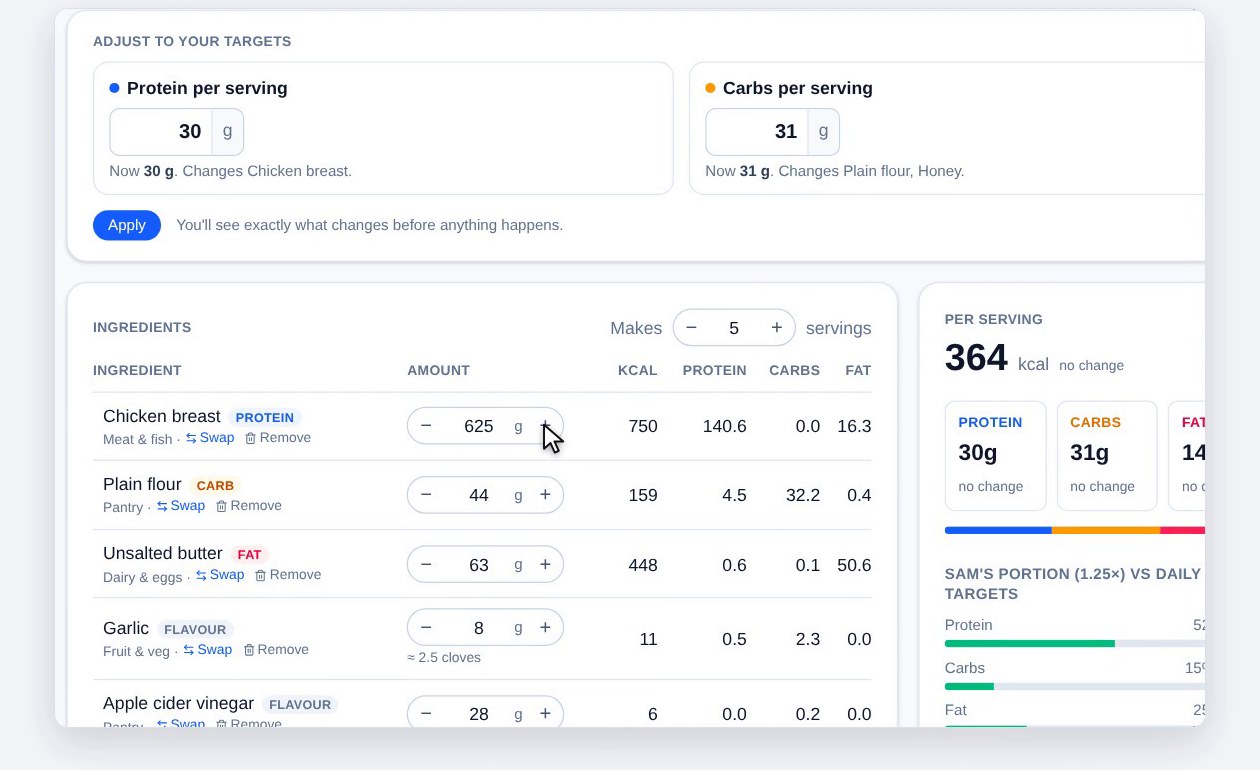
The recipe opens with a link back to the original, the ingredients and the method. Per serving shows its numbers, and underneath, how much of each person’s daily targets their portion covers, with their vitamins and minerals further down. Change Makes to cook more or fewer servings and every amount changes with it, or change any amount yourself.
Categories sits at the top of the recipe. Tick its meals and your own categories, and each tick saves straight away. High protein, low carb and low fat are worked out from the nutrition, so they change as you edit the recipe.
6. Adjust to your targets
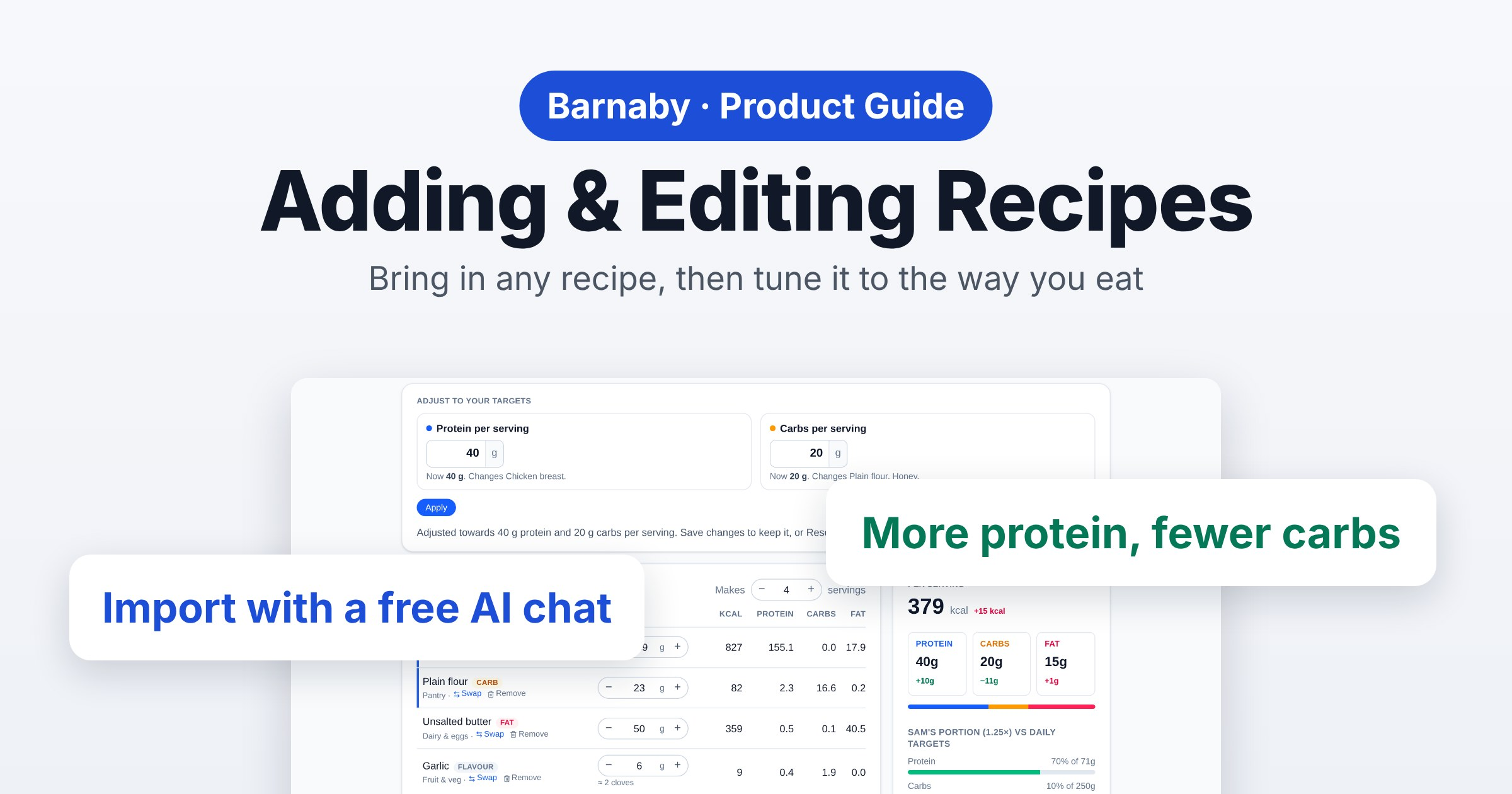
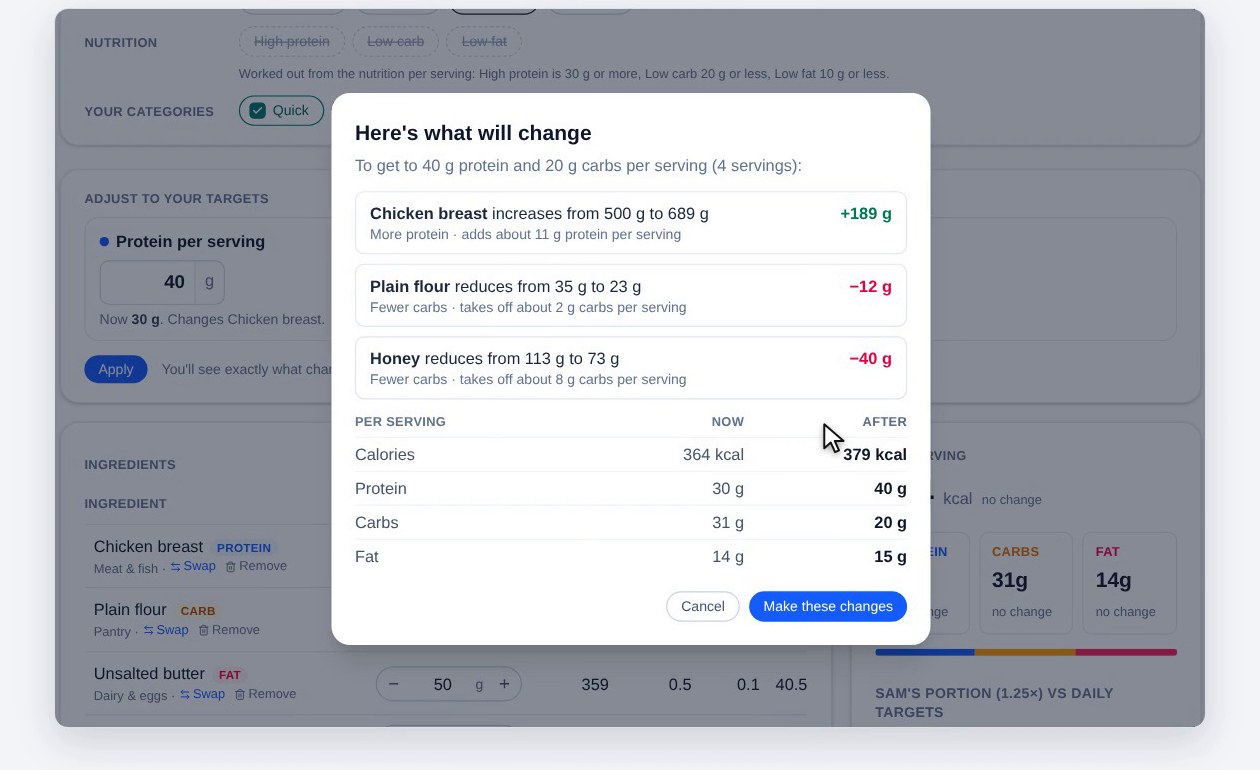
Want more protein, or fewer carbs? In Adjust to your targets, type the protein and carbs per serving you’d like and click Apply. Barnaby works out how much of each protein and carb ingredient to use, and shows exactly what will change, ingredient by ingredient, with the calories, protein, carbs and fat per serving now and after. Nothing happens until you click Make these changes.
7. Swap, remove and add
To swap an ingredient, click Swap, type what you’d rather use and click Find. Barnaby never picks for you. It looks in your own recipes first, then a list of thousands of foods, then can ask AI, and for anything unusual you can copy and paste with your own AI chat. None of these moves to the next step, and nothing changes until you pick one and click Use this.
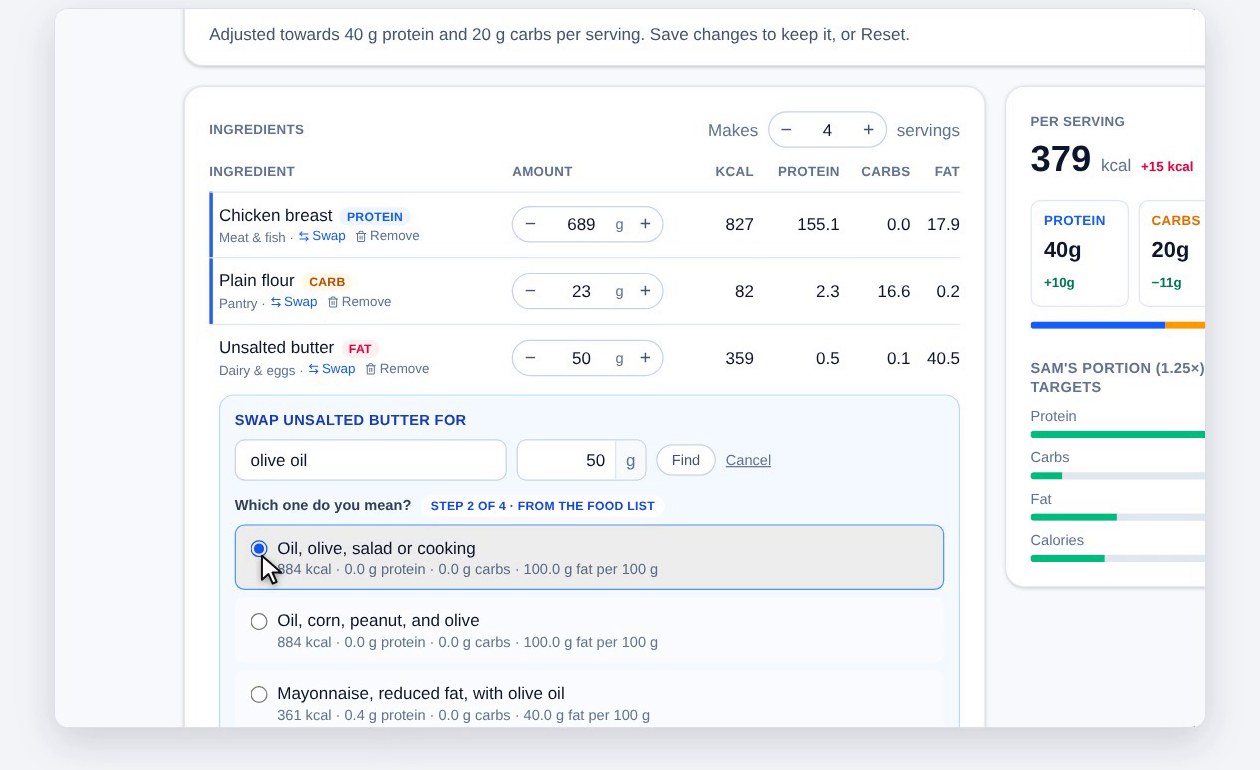
Remove takes an ingredient out, and Put back returns it. + Add ingredient finds a food the same way as Swap. Changed rows are marked in blue.
8. Save
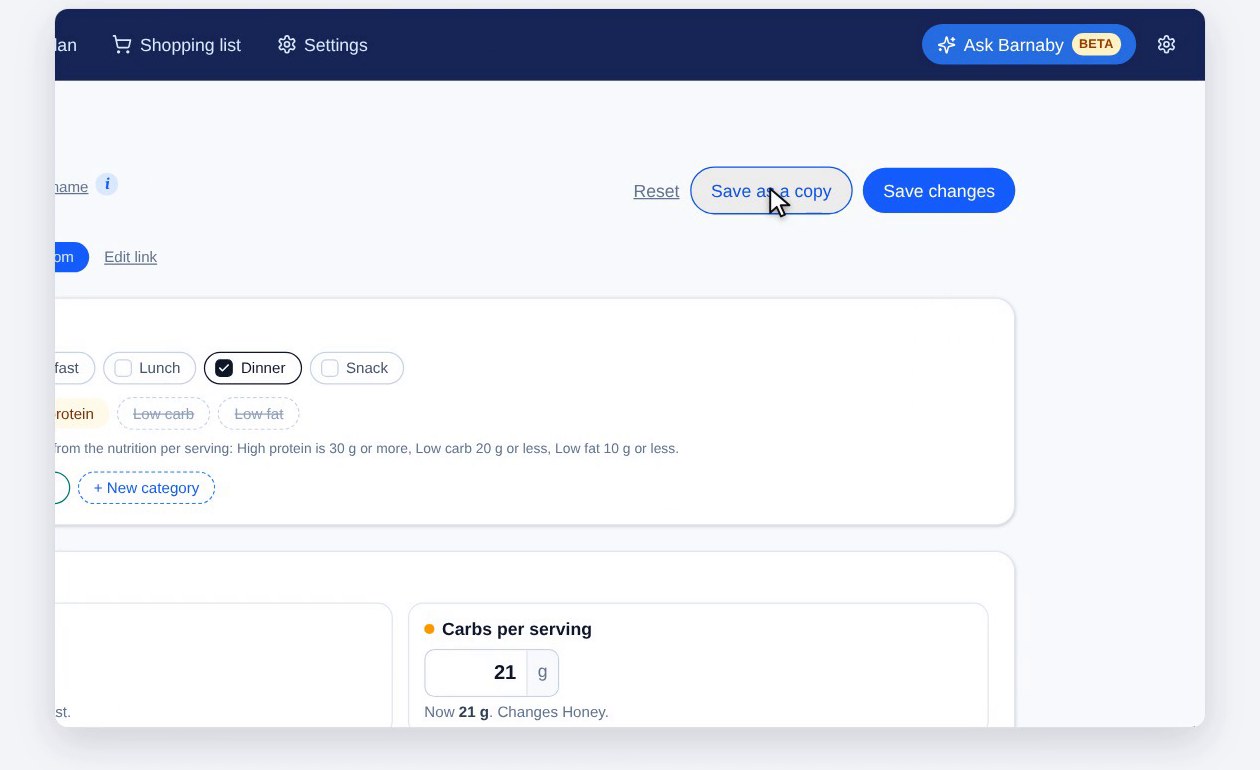
Save changes updates the recipe. Save as a copy keeps the original and makes a new one, and Reset undoes everything since you last saved. The recipe is then ready for the meal plan, and opened from the meal plan, it’s scaled to exactly who’s eating (see planning meals and your shopping list).
Any recipe, your way
Bring in the recipes you love, with the nutrition worked out, and tune them to the way you eat.
Get startedScreenshots use a test household with made-up people. Nutrition from an AI chat or a food list is an estimate. This is general information, not personal dietary advice. Check with a doctor or dietitian for anything that affects your health.