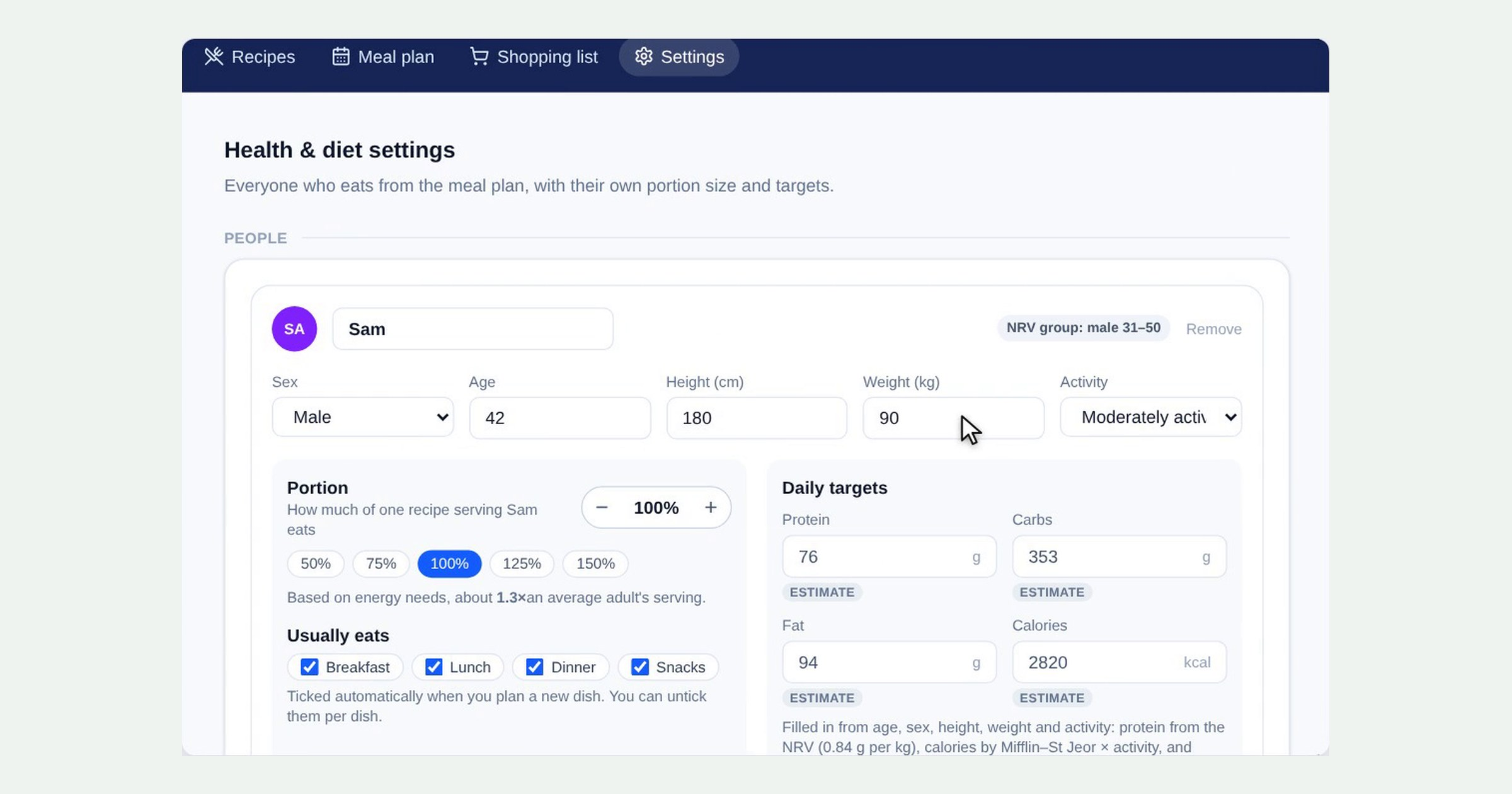
Not everyone at the table eats the same amount. Before you plan meals in Health & diet, tell Barnaby who eats from your plan. From each person’s details it works out their daily targets, and from their portion size it works out how much of each recipe to make. Here’s how.
1. Add everyone who eats from the plan
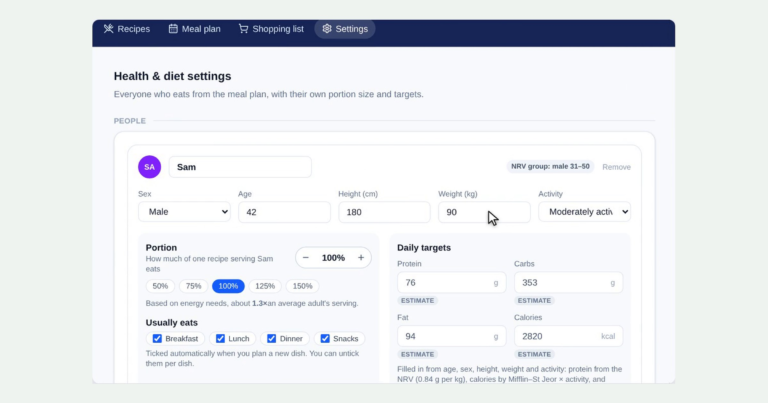
Open Health & diet, then Settings. Click Add person for everyone who eats from the meal plan, whether that’s you, a partner or the kids, and give each of them a name.
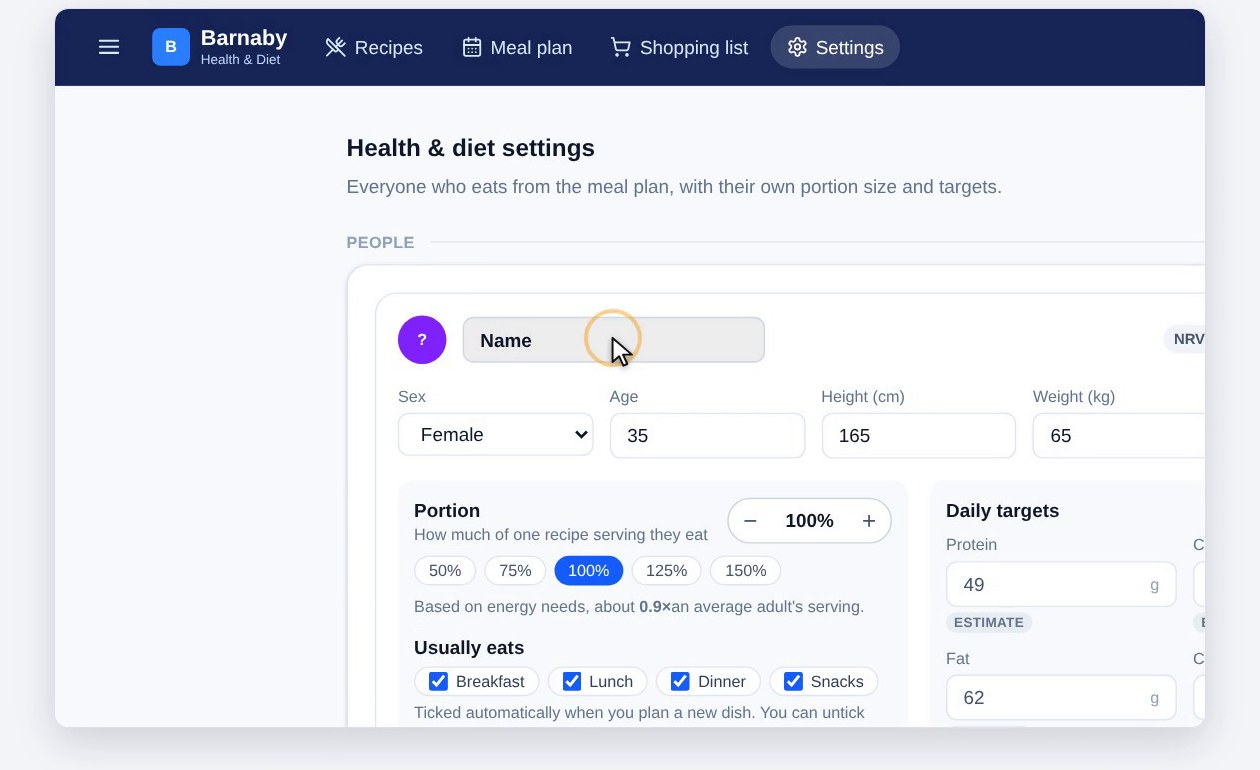
2. Their details
Fill in their sex, age, height, weight and how active they are. These put them in the right nutrient group, shown at the top right of their card, and are used to estimate their calorie and protein needs.
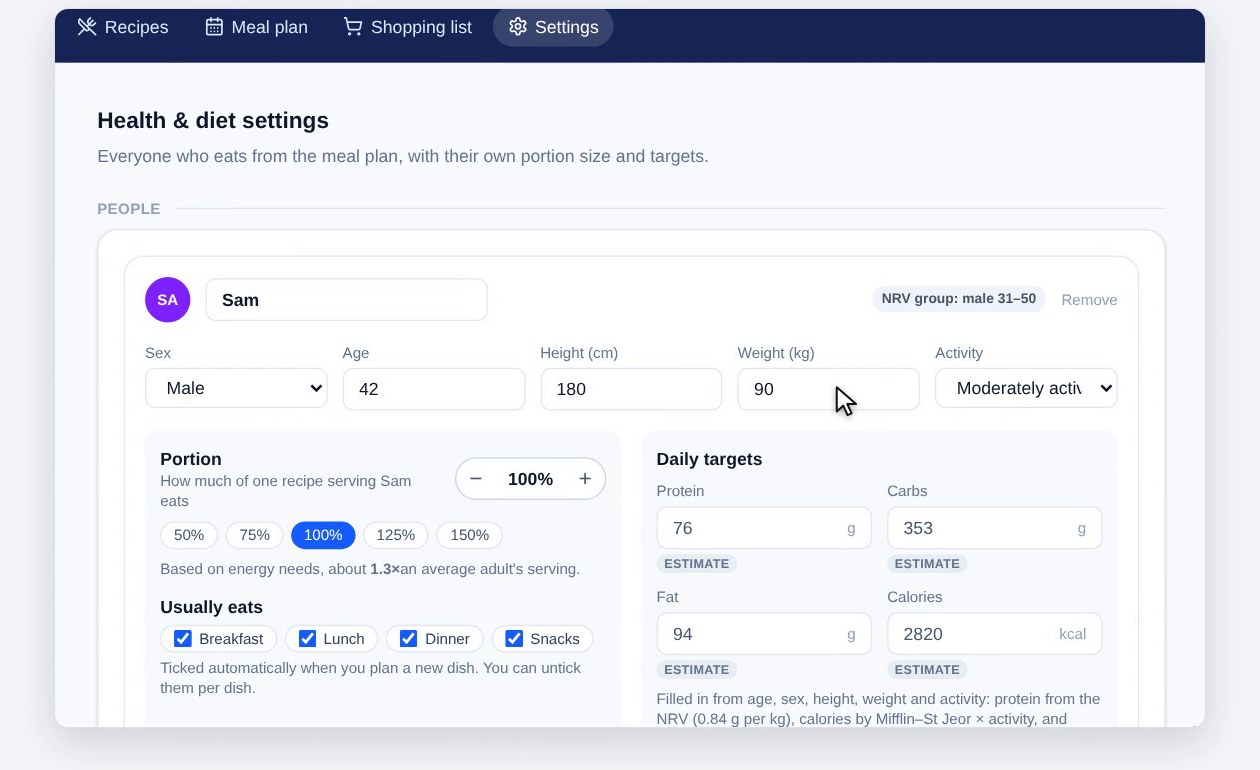
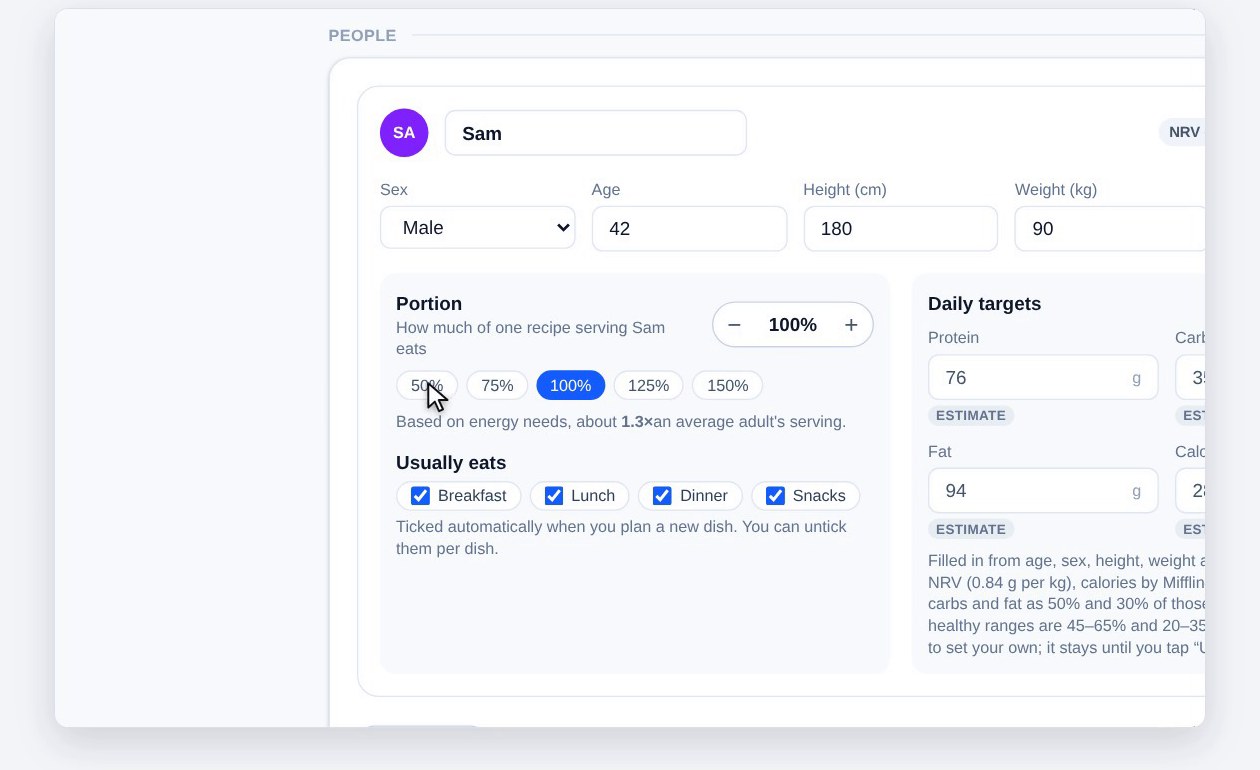
3. Portion: how much of a serving they eat
Portion is the key idea. It’s how much of one recipe serving this person eats, where 100% is one standard serving. A ninety-kilo man might eat one and a quarter to one and a half times a serving, a fifty-kilo woman about one, and a child less.
Barnaby suggests a portion from their energy needs. Set it with the − and + buttons, or tap a quick choice from 50% to 150%. It’s only a starting point: after a few meals, nudge each person’s portion up or down until the amounts are right for them.
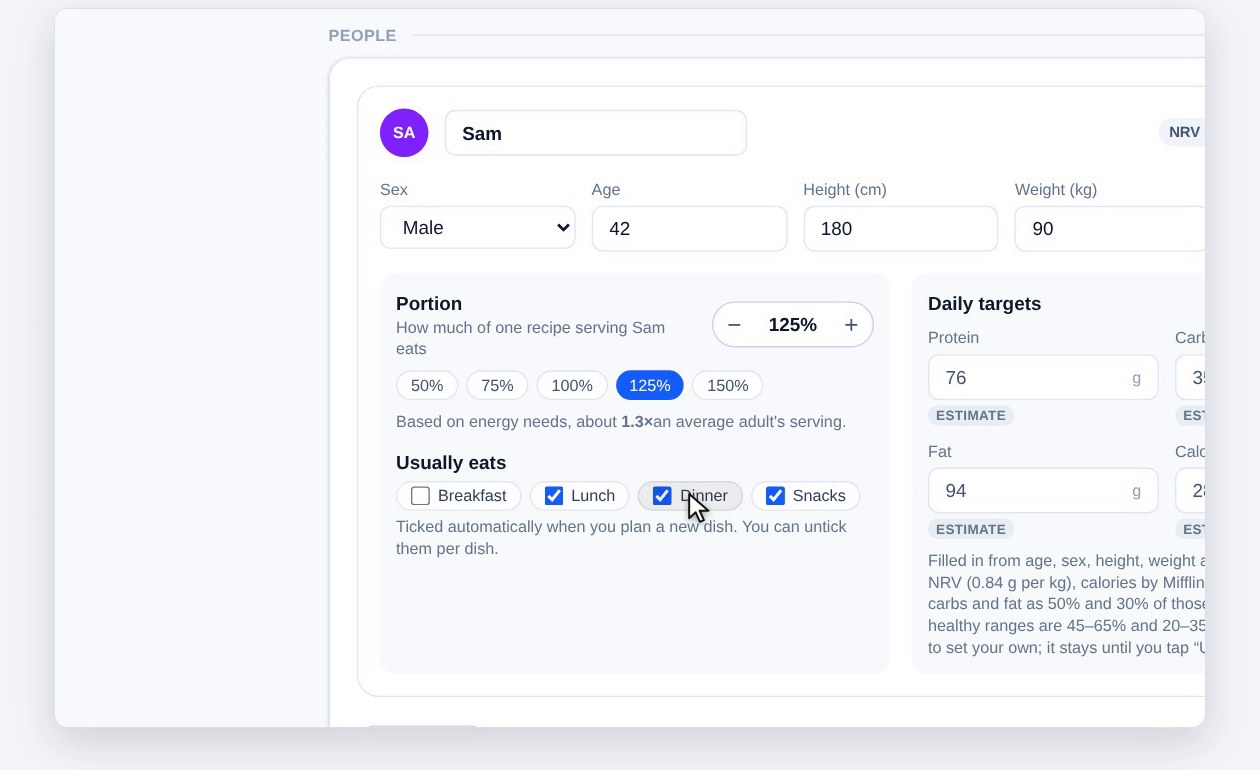
4. Usual meals
Tick the meals each person usually eats. When you plan a dish on the week planner, the people who usually eat that meal are ticked in for it. On Pick meals, everyone starts ticked. Either way, their portions are added up to work out how much to make, and you can change who’s eating dish by dish.
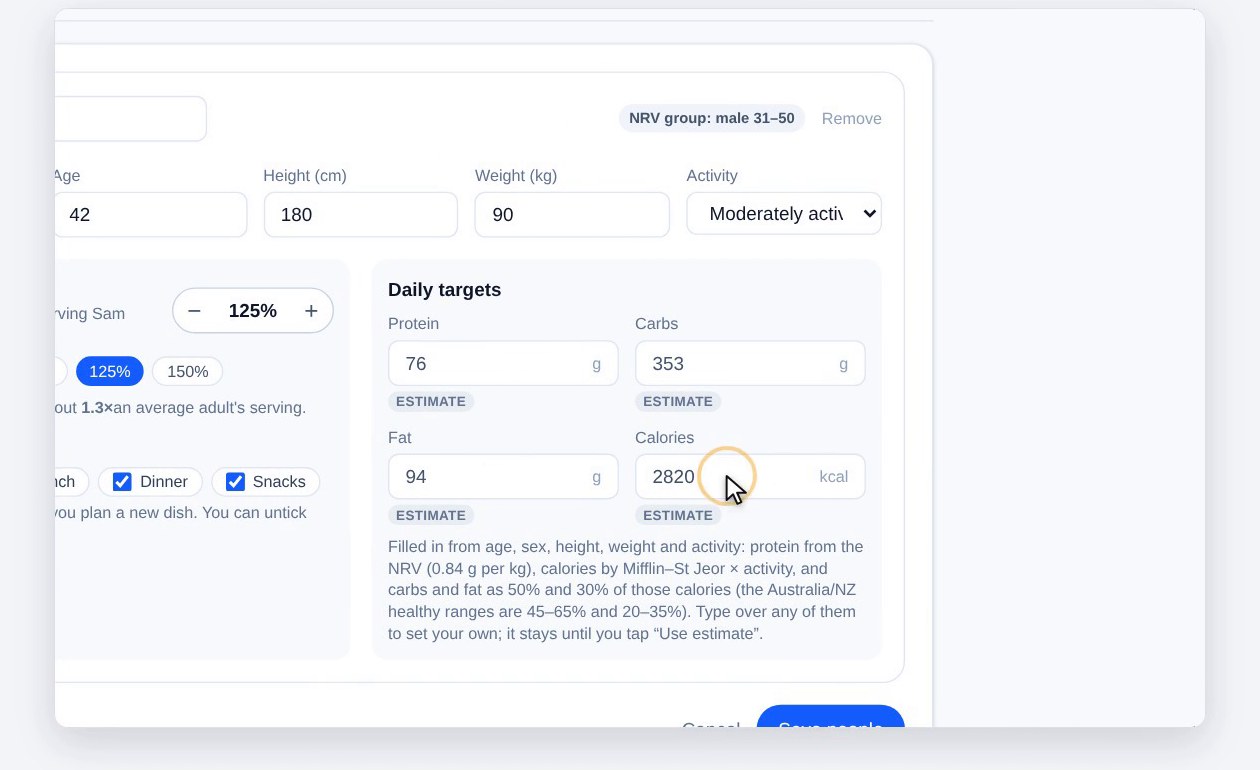
5. Daily targets
Protein, carbs, fat and calories are estimated from their details, each marked Estimate. If you have your own figure, from a dietitian for example, just type it in. Use estimate puts it back.
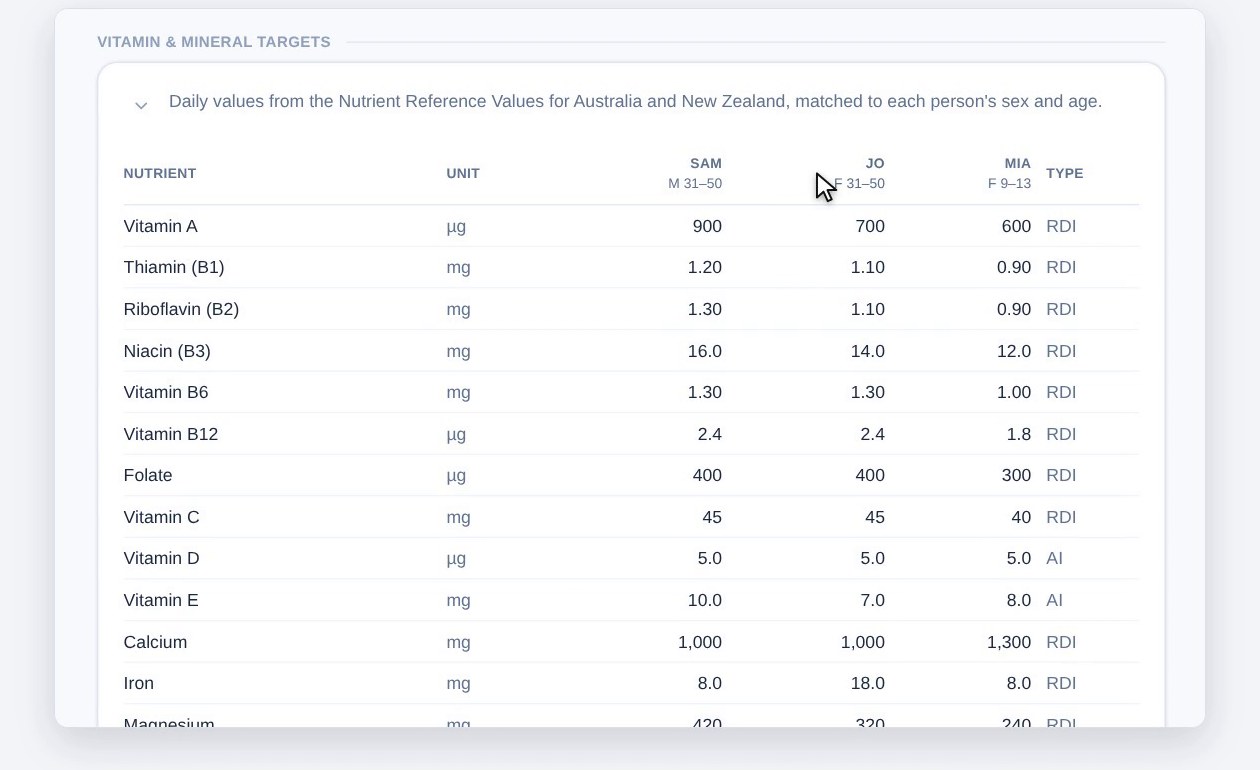
6. Save, then check the vitamin and mineral targets
When everyone’s in, click Save people. Underneath, each person’s vitamin and mineral targets are listed, from the Australian and New Zealand Nutrient Reference Values for their age and sex. The meal plan then shows how each person’s meals measure up against them.
Plan meals for the whole household
Set up everyone once, and every recipe, meal plan and shopping list is sized for the people eating it.
Get startedScreenshots use a test household with made-up people. This is general information, not personal dietary advice. Check with a doctor or dietitian for anything that affects your health.